Tasks
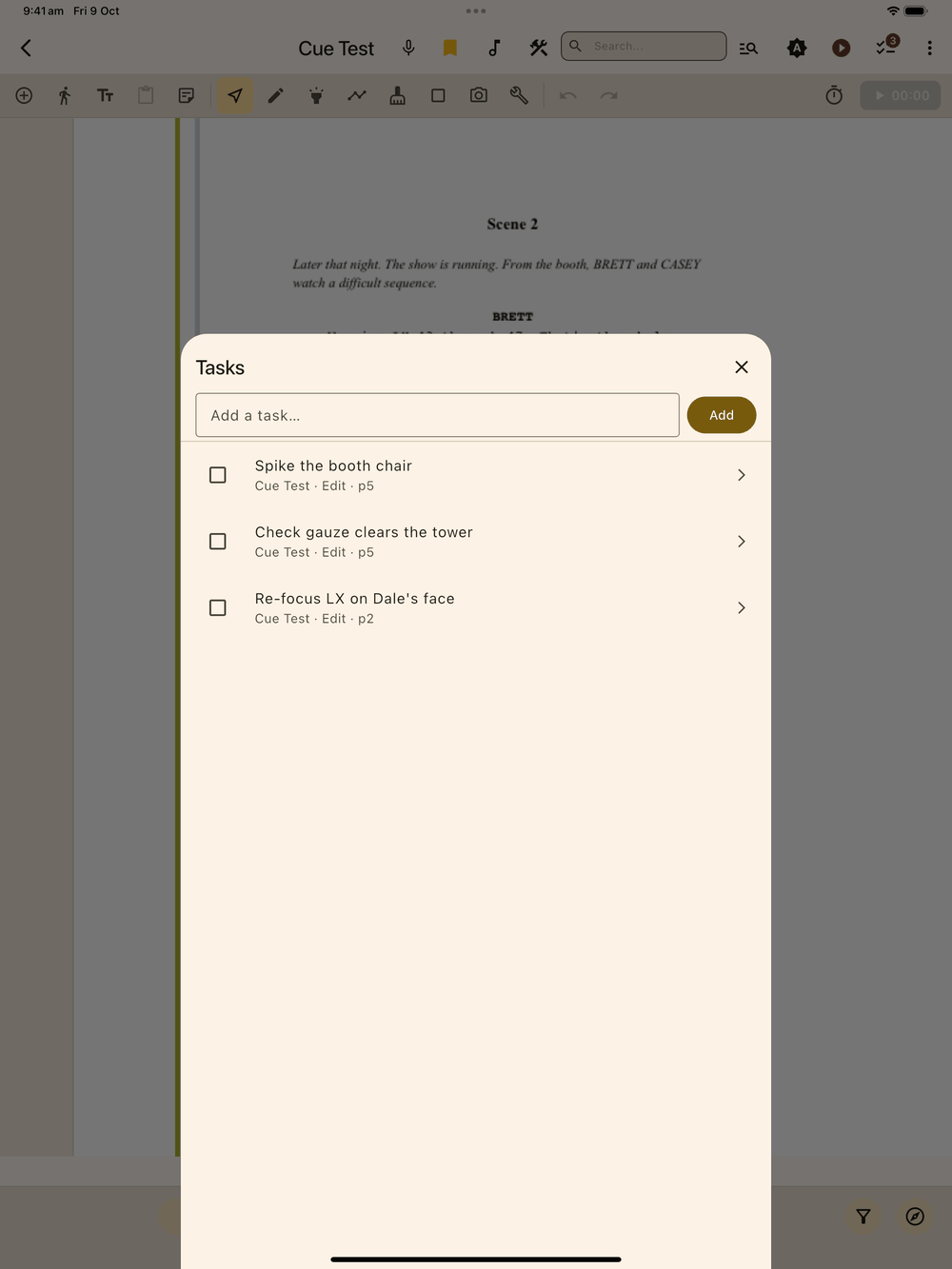
You’re halfway through an edit, someone needs you, and when you come back you’ve lost your place. Tasks is a checklist for each show that remembers where you were (the screen, and the page if you were editing), so one tap takes you straight back.
Opening Tasks
Tap the checklist icon in the app bar. It appears on the edit screen, Cue List, Fly State, Setup, and the Tools hub, and as an overlay button in show mode. A small badge on the icon shows how many tasks are still open; it’s hidden when there are none.
Adding a task
Type in the text field at the top of the sheet and tap Add. The task captures where you were when you added it (the screen, and the page number if you were editing), so its row reads something like “Hamlet · Edit · p42”: the show, the screen and the page.
Working through the list
- Tap a task’s row to jump straight back to where it was added.
- Tap the checkbox to mark a task done. Done tasks move into a Done section at the bottom of the sheet, which you can collapse. They’re out of the way but still there.
- Untick a done task to put it back in the open list.
Storage
Tasks are saved with the show and included in backups, so they travel with the prompt book when you export or restore.